
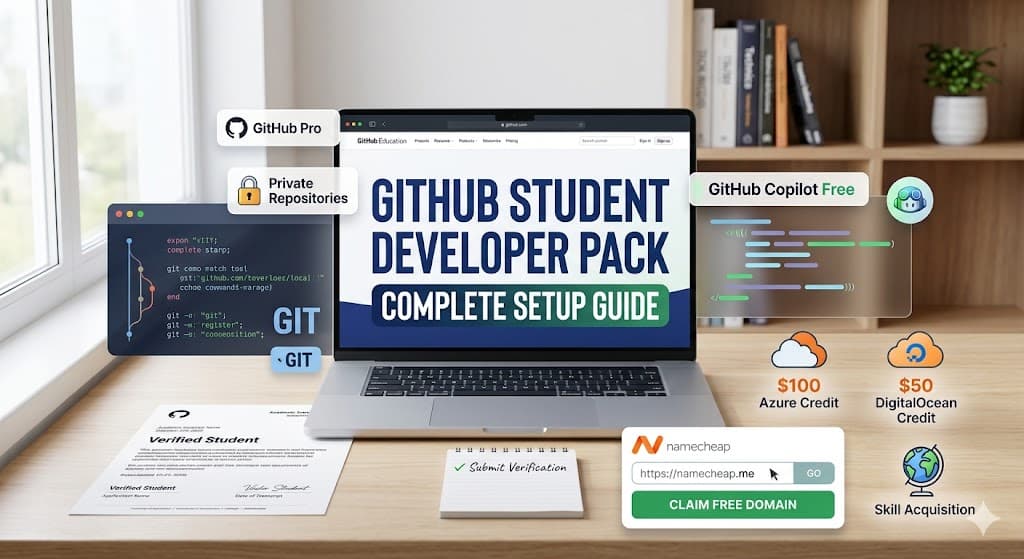
The GitHub Student Developer Pack is a comprehensive digital bundle offering free access to premium software engineering tools. This resource equips academic learners with professional-grade cloud infrastructure, integrated development environments, and advanced educational platforms to build comprehensive software portfolios.
What Is the GitHub Student Developer Pack?
The GitHub Student Developer Pack constitutes a partnership-driven technology program offering complimentary access to commercial developer tools and software services.
GitHub Education coordinates this initiative to help verified academic learners acquire practical software engineering experience using industry-standard enterprise infrastructure platforms.
The program consolidates essential software development categories:
- Version Control Systems: Complimentary access to GitHub Pro and GitHub Team organizational features.
- Cloud Computing Infrastructure: Hosting credits for Microsoft Azure, Amazon Web Services (AWS), and DigitalOcean environments.
- Domain Name Registration: Complimentary domain name provisioning via registrars including Namecheap.
- Developer Utilities: Premium licenses for local code editors, SQL database management applications, and the 1Password security suite.
- Skill Acquisition Platforms: Access to structured technical curricula on Educative, Coursera, and Dataquest.
Software development requires access to specialized environments that often carry significant financial costs. The GitHub Student Developer Pack removes these monetary constraints.
Students utilize these commercial resources to design database architectures, configure continuous integration pipelines, and deploy full-stack web applications.
How Does the GitHub Student Developer Pack Function?
The GitHub Student Developer Pack operates through an authenticated authorization protocol linking GitHub profiles with third-party software vendors.
Verified student accounts receive digital cryptographic tokens or direct authorization flags that unlock premium subscription tiers on external partner platforms.
What Are the Core Mechanisms of GitHub Education Validation?
GitHub Education utilizes an automated academic verification system to confirm an applicant's active scholastic enrollment.
The system evaluates institutional email domain suffixes against a database of accredited academic institutions and analyzes uploaded photographic evidence to authenticate current student status.
The validation system processes specific verification artifacts:
- Institutional email addresses containing valid
.eduor recognized regional academic top-level domains. - Photographic captures of officially issued, dated student identification cards.
- Digital copies of current academic transcripts or official enrollment verification letters.
The verification process establishes a persistent authenticated state on the user's GitHub profile. This authenticated state acts as a foundational identity layer.
Partner services query this identity layer through specific API endpoints to confirm the user holds active student status before provisioning premium software licenses.
How Do API Integrations Facilitate Partner Offers?
Partner technology platforms utilize OAuth application programming interfaces to verify a user's GitHub Education status securely.
When a student initiates a partner offer, the external service requests authorization from GitHub to read the specific demographic and educational status flags associated with the user profile.
This integration eliminates redundant verification processes across multiple vendors. Once GitHub confirms the academic status, the user clicks a unique partner link within the GitHub Student Developer Pack dashboard.
The destination platform consumes the authentication token, automatically bypassing payment gateways and activating the associated software license or cloud credit allocation.
Why Is the GitHub Student Developer Pack Important for Academic Learners?
The GitHub Student Developer Pack accelerates professional skill development by providing academic learners direct access to enterprise-grade technology stacks.
This access bridges the operational gap between theoretical computer science concepts and practical software engineering implementation methodologies required by modern technology companies.
How Does the Pack Reduce Financial Barriers for Computer Science Students?
The technology bundle eliminates the recurring subscription costs associated with professional software development environments.
Students bypass standard commercial licensing fees, allowing them to experiment with advanced cloud architectures and premium integrated development environments without incurring personal financial debt.
The financial relief impacts several operational areas:
- Students deploy multiple cloud-based applications without fearing excessive compute resource billing.
- Learners access premium security tools to implement correct authentication protocols in personal projects.
- Developers register custom internet domains to host professional portfolios without annual registration fees.
By neutralizing the cost of infrastructure, the program democratizes access to technology education.
Students from diverse economic backgrounds gain equal opportunities to master complex systems, including container orchestration, machine learning model deployment, and distributed database management.
What Role Does the Pack Play in Portfolio Development?
The provided software tools enable students to construct publicly verifiable digital portfolios demonstrating practical engineering competence.
Utilizing commercial cloud providers and version control systems proves a candidate's ability to operate within standard corporate technology environments during subsequent employment evaluations.
Employers evaluate technical candidates based on demonstrable project artifacts. A student utilizing the GitHub Student Developer Pack can present a full-stack application hosted on DigitalOcean, secured via continuous integration workflows utilizing GitHub Actions, and served through a custom Namecheap domain.
This physical evidence surpasses theoretical academic credentials in modern technical recruiting pipelines.
What Are the Core Components of the GitHub Student Developer Pack?
The resource bundle contains distinct technology categories designed to cover the entire software development lifecycle.
These components include version control repositories, remote cloud infrastructure credits, domain registration services, local developer utilities, and structured educational platforms.
Which Version Control Capabilities Are Included?
Students receive complimentary upgrades to GitHub Pro, unlocking advanced repository management and collaborative version control features.
This premium tier provides expanded storage limits, advanced code review utilities, and sophisticated GitHub Actions compute minutes for automated software testing pipelines.
The GitHub Pro upgrade provides specific technical advantages:
- Unlimited private code repositories with full collaborative access controls.
- Advanced continuous integration and continuous deployment (CI/CD) workflow minutes.
- Protected repository branches requiring specific status checks before code merging.
- Comprehensive dependency resolution and security vulnerability alerting systems.
Mastering these version control mechanisms prepares students for enterprise engineering roles. Developers learn to manage merge conflicts, structure pull requests, and automate code linting processes. These practices represent the foundational operations of modern agile software development teams.
What Cloud Infrastructure Credits Do Students Receive?
The program allocates direct financial credits for major cloud computing providers to facilitate application deployment.
Enrolled students receive $100 in Microsoft Azure computing credits and $50 in DigitalOcean infrastructure credits to host web applications and configure relational databases.
These cloud credits support various architectural implementations:
- provisioning virtual private servers (VPS) for custom backend API deployments.
- Hosting static frontend applications via content delivery networks (CDNs).
- Configuring managed PostgreSQL or MySQL database instances for data persistence.
- Deploying serverless functions to execute event-driven application logic.
Access to these platforms allows students to move projects from localhost environments to production servers. Learners gain practical experience configuring firewalls, managing DNS records, and monitoring server resource utilization under active network traffic.
How Are Domain Name Registrations Handled?
Namecheap provides active GitHub Student Developer Pack beneficiaries with one complimentary custom domain name registration valid for a single year. This specific academic benefit includes a standard top-level domain allocation designed to help emerging developers host professional digital portfolios.
The domain registration component involves several technical steps:
- Students claim a unique cryptographic coupon code from the GitHub Education dashboard.
- Users execute a domain name availability search on the Namecheap registry platform.
- The system applies the promotional code during checkout to nullify the registration fee.
- Developers configure domain name system (DNS) records to point the domain toward active cloud servers.
Owning a custom domain name establishes professional credibility. Students utilize these domains to host centralized portfolio websites, configure professional routing for email addresses, and secure their web applications utilizing custom SSL/TLS cryptographic certificates.
Which Premium Developer Utilities Are Provided?
The technology bundle includes premium licenses for specialized software applications that enhance local development workflows. These utilities encompass advanced integrated development environments (IDEs), graphical database administration interfaces, and cryptographic password management solutions like 1Password.
These utilities optimize the software engineering process:
- Graphical database clients simplify complex SQL query execution and schema modifications.
- Password managers enforce secure credential storage for database passwords and API keys.
- Premium text editors provide advanced code completion, syntax highlighting, and visual debugging interfaces.
Utilizing specialized developer tools increases coding efficiency and reduces syntactical errors. Students learn to navigate complex codebases quickly, isolate logic flaws using visual debuggers, and manage sensitive environmental variables securely.
What Educational Platforms Form the Skill Acquisition Component?
The GitHub Student Developer Pack includes subscription access to structured technical learning platforms. Services like Educative, Dataquest, and specific Coursera modules provide interactive text-based and video curricula covering modern programming languages, data science methodologies, and cloud architectural patterns.
These educational platforms offer specific pedagogical benefits:
- Interactive coding environments requiring zero local machine configuration.
- Structured learning paths guiding students from foundational syntax to advanced system design.
- Practical coding exercises simulating real-world engineering challenges.
- Automated assessment systems providing immediate syntactical and logical feedback.
This component bridges the gap between theoretical university lectures and practical coding implementation. Students acquire specialized, industry-relevant skills—such as Docker containerization or Kubernetes orchestration—that frequently fall outside standard academic computer science syllabi.
How Do Students Get GitHub Copilot Student Free Access?
GitHub Copilot Individual is entirely complimentary for verified students holding active GitHub Education status. Academic learners access this artificial intelligence programming assistant without financial cost by authenticating their current academic enrollment directly through the GitHub user configuration settings.
What Is the Difference Between Copilot Individual and Copilot Business?
GitHub Copilot Individual targets single developers, whereas GitHub Copilot Business provides organizational management controls for enterprise teams. The student developer pack specifically grants access to the Individual tier, providing the core artificial intelligence code generation features without the corporate policy administration panel.
The operational distinctions include:
- Copilot Individual analyzes personal repository context to generate code suggestions.
- Copilot Business allows administrators to block suggestions matching public code repositories.
- The Business tier provides centralized billing and license assignment dashboards.
- The Individual tier relies on the single user's telemetry and data sharing preferences.
Students utilizing the Individual tier receive the full generative capabilities of the underlying Large Language Model (LLM). The assistant integrates directly into the student's local IDE, providing real-time code completions, functional test generation, and syntactical error resolution across multiple programming languages.
What Are the Exact Steps to Activate the GitHub Copilot Student Discount?
Students activate the GitHub Copilot benefit by enabling the service within their personal GitHub profile settings after achieving verified academic status. The process requires linking a compatible local code editor to the authenticated GitHub account to facilitate the necessary API requests.
The activation procedure follows a strict sequence:
- Verify academic student status via the GitHub Education application portal.
- Navigate to the specific GitHub account settings dashboard.
- Locate the GitHub Copilot administrative section.
- Toggle the application enablement switch to activate the free individual license.
- Install the GitHub Copilot extension within a compatible IDE (e.g., Visual Studio Code).
- Authenticate the local IDE extension utilizing the verified GitHub profile credentials.
Once activated, the Copilot extension begins analyzing the active document and connected file buffers. The system transmits contextual code snippets to the inference server, which subsequently returns statistically probable code completions directly into the developer's local editor interface.
What Are the Specific Eligibility Requirements for the GitHub Student Developer Pack?
To qualify for the GitHub Student Developer Pack, individuals must be at least 13 years old and currently enrolled in a degree-granting or diploma-granting educational institution. Applicants must possess a standard personal GitHub account alongside verifiable proof of active academic enrollment.
Which Educational Institutions Qualify for GitHub Education Status?
GitHub Education recognizes a broad spectrum of accredited academic institutions globally. The program accepts applications from students attending traditional universities, community colleges, secondary high schools, and officially recognized homeschooling programs that grant formal academic credentials.
Qualifying institutional categories include:
- Public and private degree-granting universities and collegiate institutions.
- Accredited technical colleges offering specialized diploma programs.
- Secondary educational facilities, including high schools and preparatory academies.
- Verified homeschool programs possessing formal state or national educational recognition.
The system evaluates institutional validity based on accreditation databases and historical application data. Non-accredited coding bootcamps or informal independent study programs generally do not meet the strict institutional qualification parameters required for continuous GitHub Education benefits.
What Documentation Serves as Verifiable Proof of Academic Enrollment?
Applicants must provide officially issued documents demonstrating current, active enrollment at a qualifying institution. The verification system requires the documentation to display the student's legal name, the institution's official name, and a specific date confirming current academic term registration.
Acceptable verification artifacts include:
- Photographic captures of officially issued, currently dated student identification cards.
- Digital PDF copies of current academic transcripts or official class schedules.
- Formal enrollment verification letters printed on official institutional letterhead.
The automated validation system analyzes the uploaded images using optical character recognition (OCR) technology to extract and verify the dates and names. If the automated system fails to parse the document accurately, the application enters a manual review queue processed by GitHub Education support personnel.
How Do Students Apply for the GitHub Student Developer Pack?
Students initiate the application process by submitting academic verification materials through the official GitHub Education portal. The digital workflow requires users to authenticate their personal profiles, register an academic email address, and upload official photographic evidence of active school enrollment.
What Is the Initial Account Creation Process?
Prospective applicants must establish a standard personal GitHub profile before initiating the educational verification sequence. Users register a primary username, configure cryptographic authentication credentials, and input their standard contact information to create the foundational digital identity required for the platform.
The account creation sequence involves:
- Navigating to the primary GitHub registration interface.
- Selecting a unique, professional alphanumeric username.
- Registering a primary personal email address for account recovery.
- Configuring a secure password and enabling two-factor authentication (2FA).
This base profile serves as the central identity anchor. All subsequent educational benefits, third-party OAuth authorizations, and code repository interactions connect directly to this initial user profile object.
How Does the Documentation Upload and Approval System Work?
After creating a base profile, users navigate to the GitHub Education dashboard to execute the formal academic verification sequence. Students select their associated educational institution, input their academic email address, and capture live photographic evidence of their enrollment documentation using a local camera device.
The specific documentation upload workflow requires:
- Accessing the "Get Benefits" interface on the GitHub Education portal.
- Selecting the "Student" classification pathway.
- Adding and verifying the institutional email address.
- Utilizing the browser's camera API to capture a clear image of the dated student ID or transcript.
- Submitting the specific academic use-case description and finalizing the application payload.
The system processes the application payload asynchronously. Approved users receive an automated email confirmation, while rejected applications receive specific feedback detailing the document deficiencies requiring remediation before a subsequent application attempt.
What Are Practical Examples and Applications of the Included Tools?
Students utilize the GitHub Student Developer Pack to engineer, host, and distribute complex software applications. These practical applications range from deploying interactive web interfaces using cloud infrastructure to securing network communications and managing relational database state.
How Can Students Deploy Web Applications Using Microsoft Azure?
Students utilize the $100 Microsoft Azure computing credit to architect and deploy highly available web applications. Developers provision Azure App Service instances, connect GitHub repositories for automated continuous deployment, and route external HTTP traffic to their specific application containers.
A standard Azure deployment workflow includes:
- Authenticating the Azure platform utilizing the verified student credentials.
- Provisioning a new Azure App Service resource within a specific geographic datacenter.
- Configuring the Azure deployment center to target a specific GitHub repository branch.
- Initiating the automated build process to compile and execute the application source code.
This practical application teaches students how enterprise organizations manage application hosting. Learners gain direct experience configuring environment variables, monitoring server memory utilization, and managing Secure Socket Layer (SSL) certificates for encrypted client-server communication.
How Do Students Configure Custom Domains with Namecheap?
Students utilize the free Namecheap domain registration benefit to establish custom internet routing for their deployed projects. Developers register a specific top-level domain (TLD), access the advanced DNS management console, and configure A-records or CNAME records to direct user traffic to specific cloud IP addresses.
The domain configuration process involves:
- Registering the desired custom domain name via the Namecheap platform.
- Accessing the advanced DNS zone configuration interface.
- Creating an 'A' record pointing the root domain to the specific Azure or DigitalOcean server IP address.
- Creating a 'CNAME' record to alias the 'www' subdomain to the primary root domain.
Understanding DNS configuration represents a critical networking skill. Students learn how internet protocol addresses map to human-readable domain names and how global DNS propagation latency affects application availability during initial deployment phases.
What Are Common Misconceptions About the GitHub Student Developer Pack?
Users frequently misunderstand the operational constraints, duration limits, and specific licensing tiers associated with the GitHub Student Developer Pack. Clarifying these technical misconceptions ensures students properly manage their development resources and understand the exact boundaries of their promotional software licenses.
Does the GitHub Student Developer Pack Expire After One Year?
The GitHub Student Developer Pack does not possess a strict, permanent expiration date; rather, it requires periodic academic re-verification. The benefits remain active indefinitely, provided the user successfully submits current, dated enrollment documentation every academic year to re-authenticate their active student status.
The re-verification mechanics function as follows:
- GitHub issues an automated expiration warning email prior to the current verification period's end.
- The student must navigate to the education portal and initiate a new verification payload.
- The user uploads newly dated academic documentation proving continued enrollment.
- Upon successful system validation, the access tokens renew for another complete academic cycle.
Failure to re-verify results in the automatic downgrade of the GitHub profile to the standard free tier. Consequently, partner services query the updated identity layer and subsequently revoke access to premium cloud credits and developer utility licenses.
Can Students Access GitHub Copilot Business Licenses?
The student developer pack explicitly excludes the GitHub Copilot Business tier and associated enterprise administration features. Verified students receive complimentary access solely to GitHub Copilot Individual, which binds the artificial intelligence assistant directly to the personal user account rather than a centralized corporate organization.
The restrictions of the Individual tier include:
- Inability to enforce organizational policy controls over generated code snippets.
- Absence of centralized license provisioning dashboards.
- Lack of enterprise-grade indemnity protections against potential copyright infringement claims.
Despite these administrative limitations, the core machine learning inference engine remains identical. Students receive the exact same code generation capabilities, contextual analysis, and multi-language support as professional enterprise developers.
What Related Concepts Connect to the GitHub Student Developer Pack?
The student resource bundle integrates deeply with broader academic networking concepts and educational software deployment systems. These related entities form a comprehensive educational technology ecosystem designed to facilitate collaborative programming, academic grading, and global open-source community engagement.
How Does GitHub Classroom Integrate with the Student Experience?
GitHub Classroom represents an administrative overlay enabling educators to distribute coding assignments and track student progress utilizing standard version control mechanisms. Students interact with this system by accepting assignment invitation links, which automatically clone template repositories into their personal, student-pack-enabled accounts.
The GitHub Classroom interaction cycle involves:
- The educator provisions a template repository containing the base assignment code and testing suites.
- The student clicks the authorization link, triggering the automated creation of a private repository copy.
- The student utilizes their free GitHub Pro features to commit code and execute automated GitHub Actions tests.
- The educator reviews the final pull request, utilizing inline code comments to provide specific academic feedback.
This system mirrors professional agile development workflows. Students learn to interpret automated test failures, manage issue tracking boards, and submit formal pull requests for peer review, directly translating academic exercises into practical workplace competencies.
What Is the GitHub Community Exchange?
The GitHub Community Exchange functions as a centralized digital marketplace connecting verified student developers with active open-source software projects seeking external contributors. The platform indexes specific repositories containing beginner-friendly issues, allowing students to apply their newly acquired skills in collaborative, real-world engineering environments.
Participating in the Community Exchange involves:
- Browsing the indexed repository database for issues tagged with "good first issue" or "help wanted".
- Forking the target repository into the student's personal GitHub account.
- Executing code modifications to resolve the documented software bug or feature request.
- Submitting a formal pull request to the upstream repository maintainers for inclusion in the primary codebase.
Open-source contribution builds a verifiable public track record of engineering capability. Students interact with senior software maintainers, receive rigorous code reviews, and learn to adhere to strict project contribution guidelines and syntactical formatting standards.
What Advanced Insights Maximize the GitHub Student Developer Pack Utility?
Maximizing the technological potential of the student bundle requires moving beyond basic software installation and engaging with global technology leadership initiatives. Students leverage their verified academic status to build professional networks, organize regional engineering events, and participate in exclusive remote internship programs.
How Can Students Become GitHub Campus Experts?
GitHub Campus Experts represent a specialized cohort of verified student leaders who receive formal community management training from GitHub personnel. These designated individuals utilize their advanced access to organize regional technology hackathons, deliver specialized technical workshops, and advocate for open-source engineering methodologies at their respective universities.
The pathway to becoming a Campus Expert requires:
- Maintaining active, verified GitHub Education status.
- Submitting a formal application detailing previous technical leadership experience.
- Completing an intensive, multi-week remote training program focused on public speaking and community building.
- Executing a final community launch proposal detailing specific campus technology initiatives.
This advanced program transitions students from individual software contributors to recognized technology leaders. Campus Experts gain direct access to GitHub corporate mentorship, specific event funding resources, and an exclusive global network of highly motivated student engineers.
How Do Global Campus Initiatives Advance Professional Networking?
The GitHub Global Campus serves as the central digital hub aggregating all student-focused technological opportunities, virtual conferences, and exclusive technical internship applications. Verified students utilize this centralized portal to access exclusive recruitment events hosted by GitHub and its extensive network of corporate technology partners.
Engaging with Global Campus initiatives provides specific career advantages:
- Direct access to specialized remote internship program applications.
- Participation in global, asynchronous student hackathons with substantial prize pools.
- Networking opportunities with corporate recruiters monitoring the student developer ecosystem.
By actively participating in these global initiatives, students bypass traditional entry-level recruitment filters. The combination of a strong, pack-enabled technical portfolio and active engagement in Global Campus events establishes a highly competitive profile for modern software engineering roles.
What Other Opportunities Exist Within GitHub Education?
The GitHub Education portal extends beyond the core Student Developer Pack by providing advanced community engagement and career development programs. Verified students access specialized leadership training, global open-source collaboration platforms, remote internship opportunities, and structured classroom management systems to accelerate their professional engineering trajectories.
- GitHub Campus Experts: This leadership program trains university students to manage local technology communities. Participants receive formal mentorship to organize campus hackathons and advocate for open-source engineering practices within their collegiate environments.
- GitHub Community Exchange: This centralized digital marketplace connects emerging developers with active open-source repositories. Students collaborate on global software projects, acquiring practical engineering experience by resolving documented, beginner-friendly codebase issues.
- GitHub Global Campus Internships: This initiative provides direct access to intensive, 12-week remote engineering internship programs. Selected participants collaborate with corporate technology partners to construct enterprise-level software and build verifiable public portfolios.
- GitHub Classroom: This administrative platform enables computer science educators to automate coursework distribution. Teachers utilize standard version control mechanics to track student commit histories, review pull requests, and execute automated code evaluations.
FAQs
1. Does the GitHub Student Developer Pack expire?
The GitHub Student Developer Pack does not permanently expire, but it requires periodic re-verification. Students must submit newly dated academic documentation annually to maintain their verified status and retain access to the included premium software licenses and cloud credits.
2. Can high school students access the GitHub Student Pack?
Yes, high school and secondary school students fully qualify for the GitHub Student Developer Pack. The applicant must be at least 13 years old and provide valid, officially issued school enrollment documentation during the verification process.
3. Is GitHub Copilot Business included in the student pack?
No, the GitHub Student Developer Pack specifically provisions licenses for GitHub Copilot Individual. The Business tier, which includes centralized enterprise policy administration and organizational billing controls, is excluded from the academic promotional bundle.
4. Can students use the GitHub Student Pack without an .edu email address?
Yes, students lacking a standard .edu email address can successfully apply. The automated system allows users to upload official, currently dated academic documentation—such as student identification cards or transcripts—for manual verification by GitHub support staff.
5. How do educators interact with student repositories?
Educators utilize GitHub Classroom to manage academic coursework. This distinct system automates repository creation, distributes starter code, and leverages GitHub Actions to execute automated grading tests on student pull requests directly within the standard GitHub interface.